For the planning team
Planner
Builds and updates the plan.
- Imports orders and daily output from Excel
- Applies roadmaps, overtime and line changes
- Every save keeps a restore point
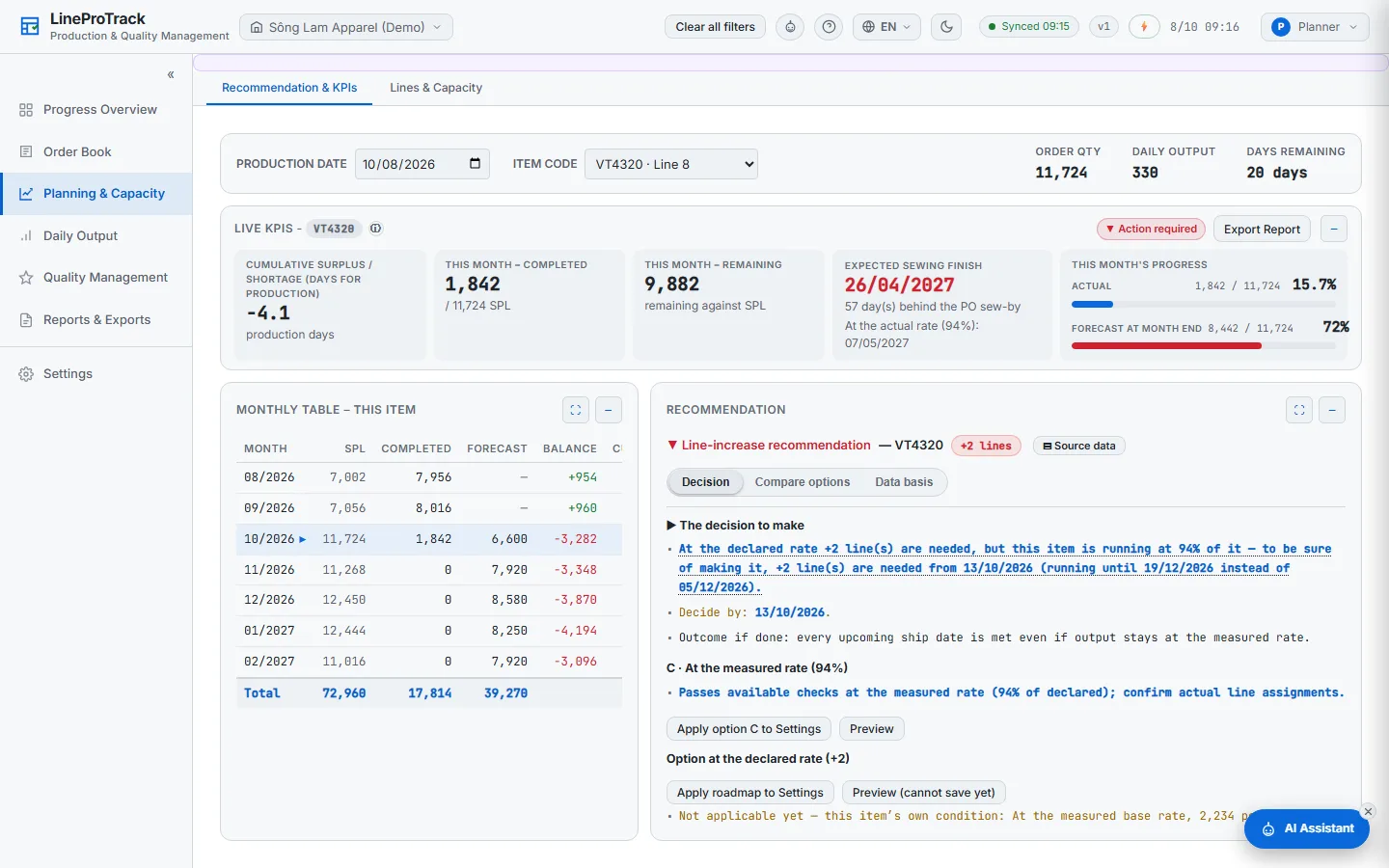
LineProTrack puts your order book, line plan and daily output in one place. It shows which orders will miss their ex-factory date, how many lines or overtime hours would save them, and the last day you can still decide — and everyone from management to QC sees the same live plan.
14-day free trial · No card needed · Preview code by email in minutes
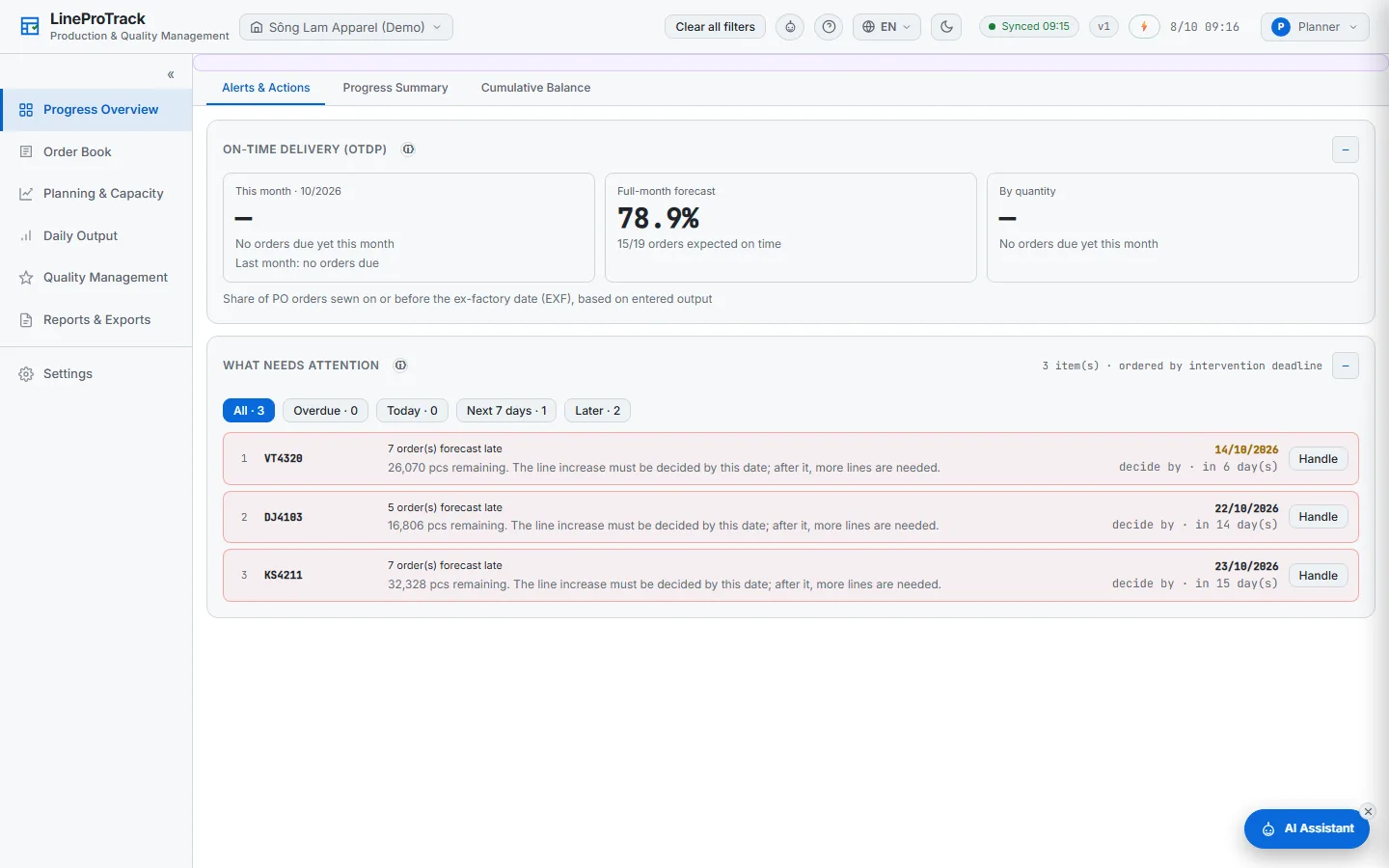
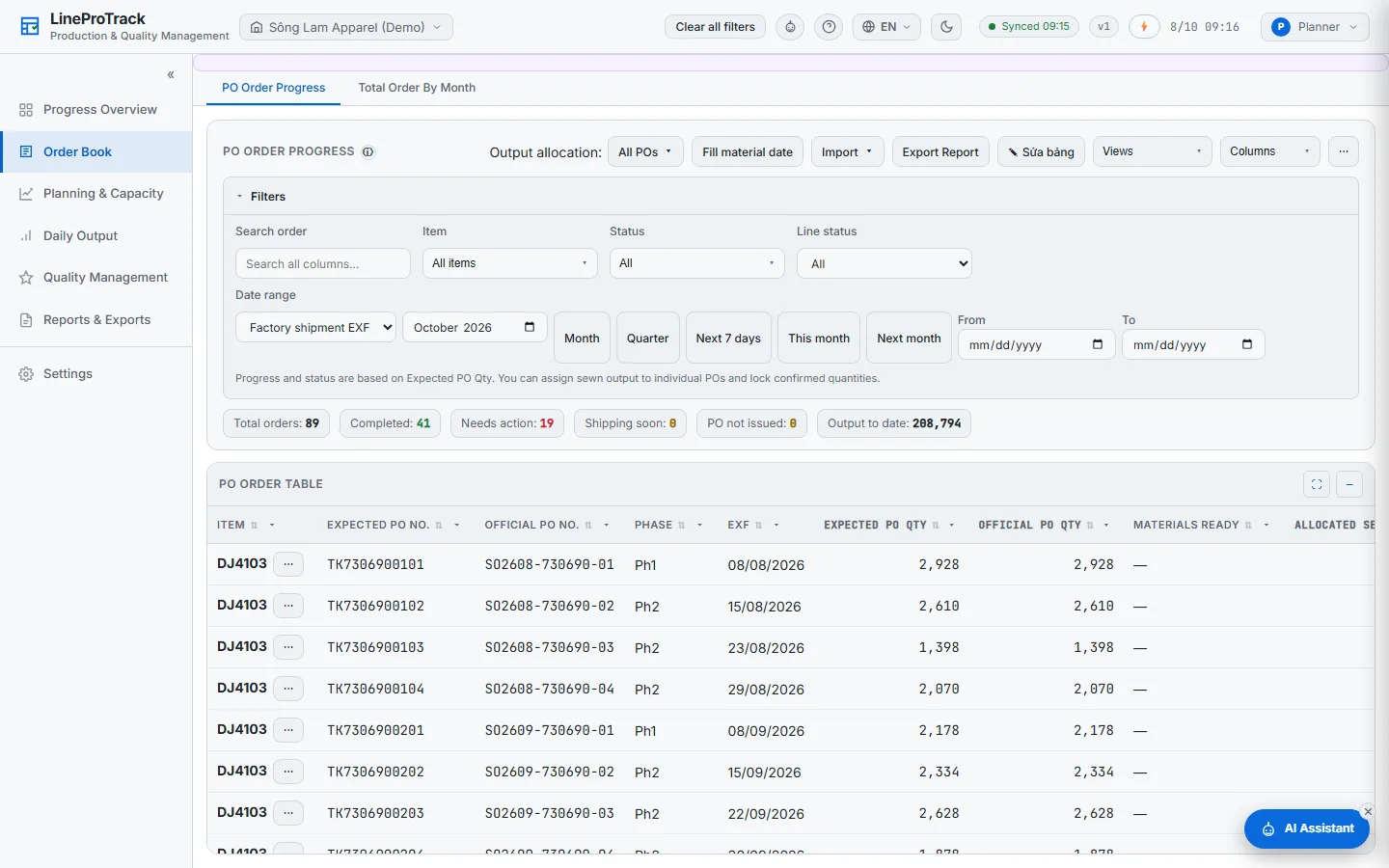
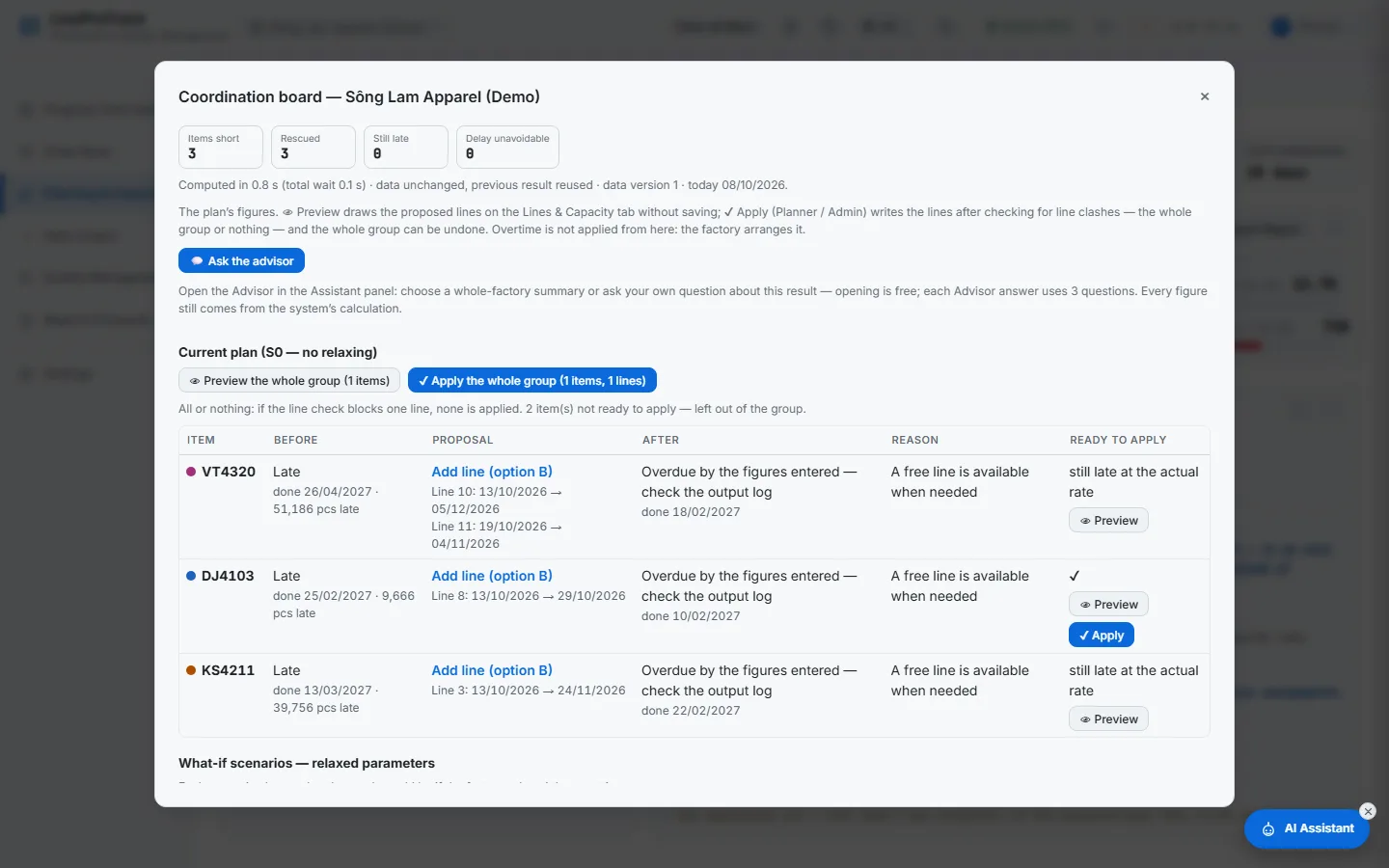
Pick a screen. Each picture is the real application with sample data — the same one you can open in the demo.
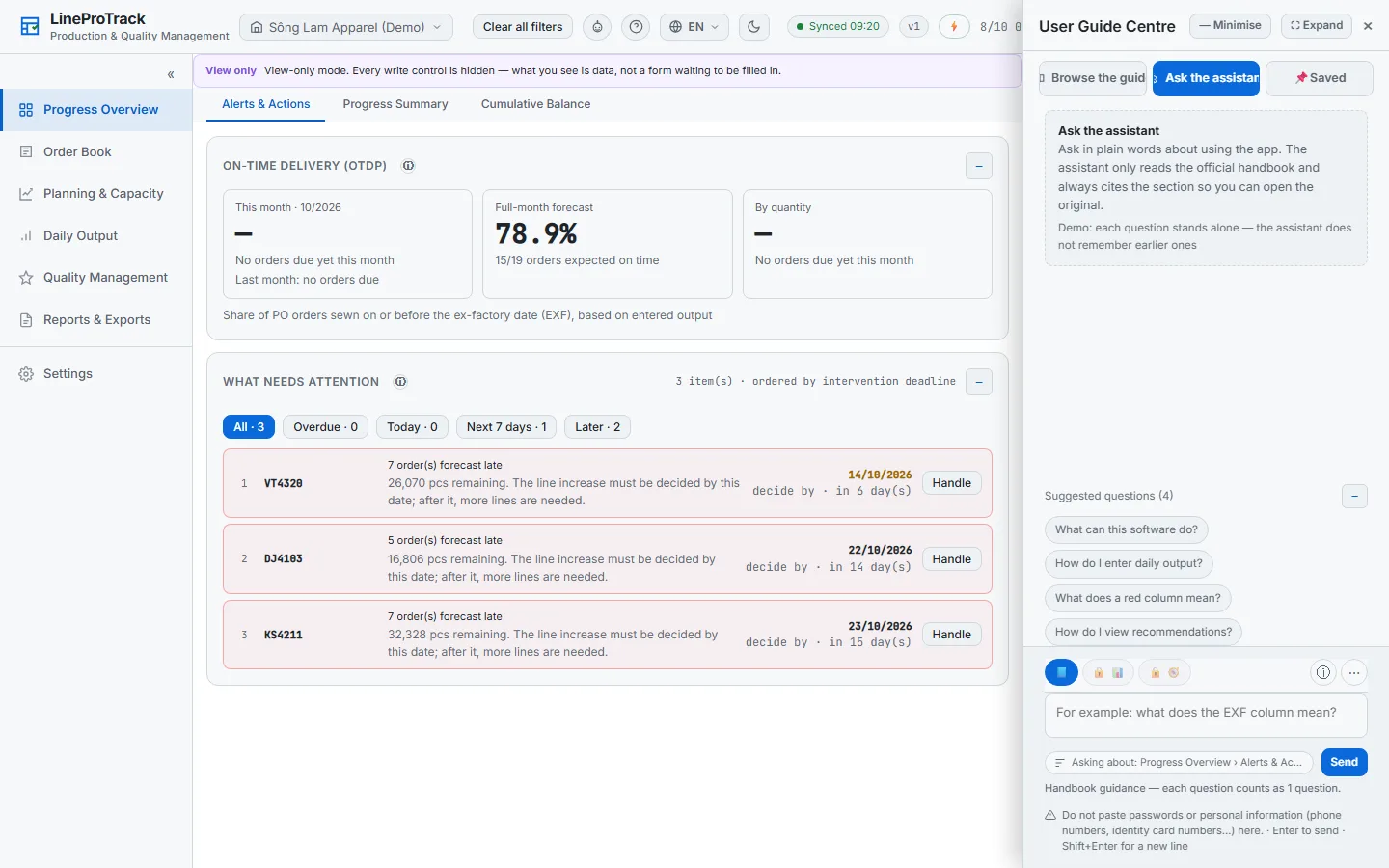
Every order at risk of missing its ex-factory date, with the reason and the last day a decision still saves it.
Import any PO file — your columns are kept. Output is allocated to POs by ex-factory date and material readiness.
How many lines, from which day, and how many overtime hours it takes to keep the date — preview it before you apply it.
See every item competing for the same lines, and test What-if scenarios — more overtime, extra lines, a later start — before you commit.
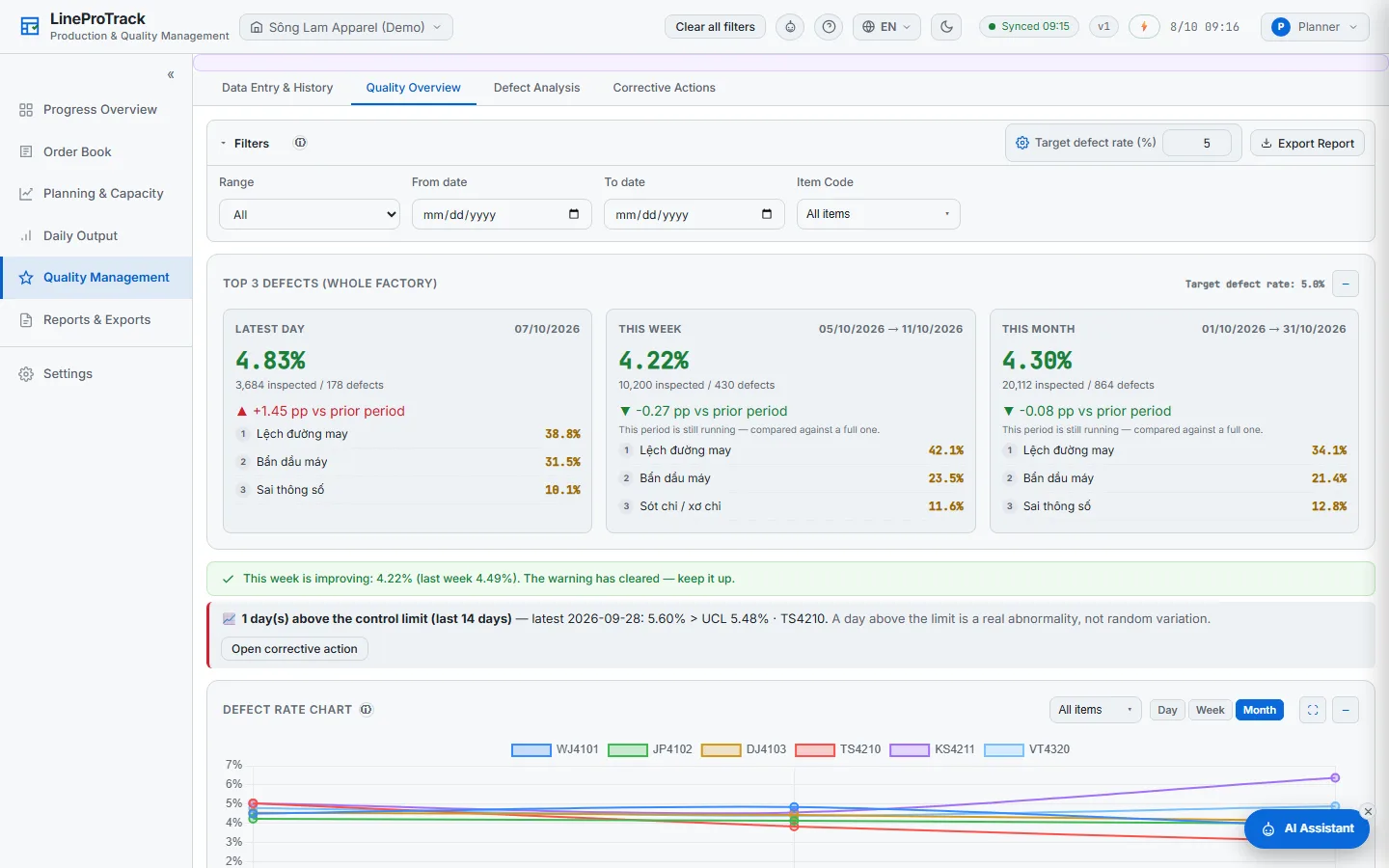
Inspection reports by delivery, defect photos, defect charts and the inspection report format your buyer expects.
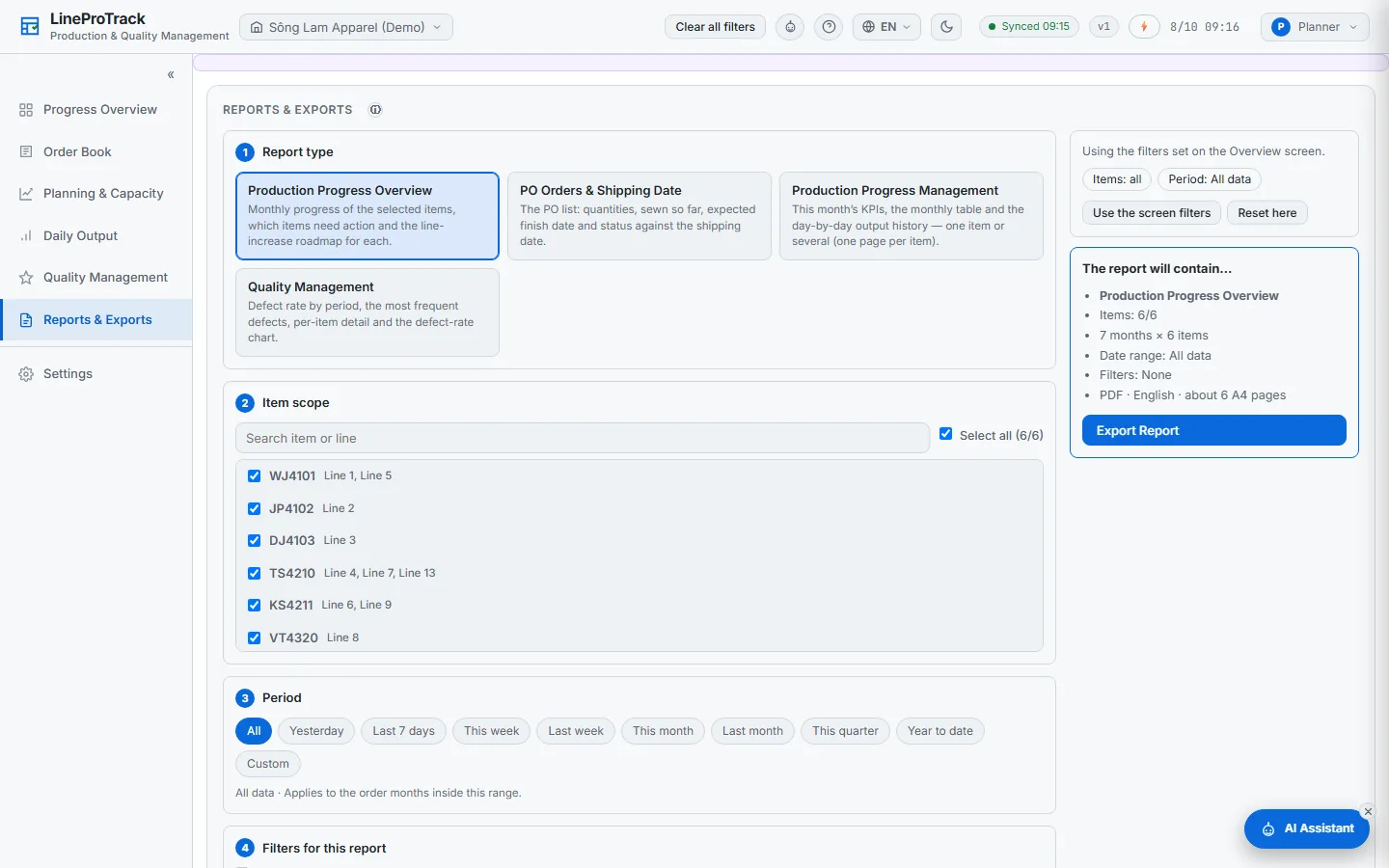
PDF and Excel reports for one item or many — progress, delay risk, output and quality — in any of the four languages.
The AI assistant explains any screen. The planning advisor looks at a late order and proposes changes you can apply — and undo.
No more plans emailed back and forth: one live version for the whole factory.
Builds and updates the plan.
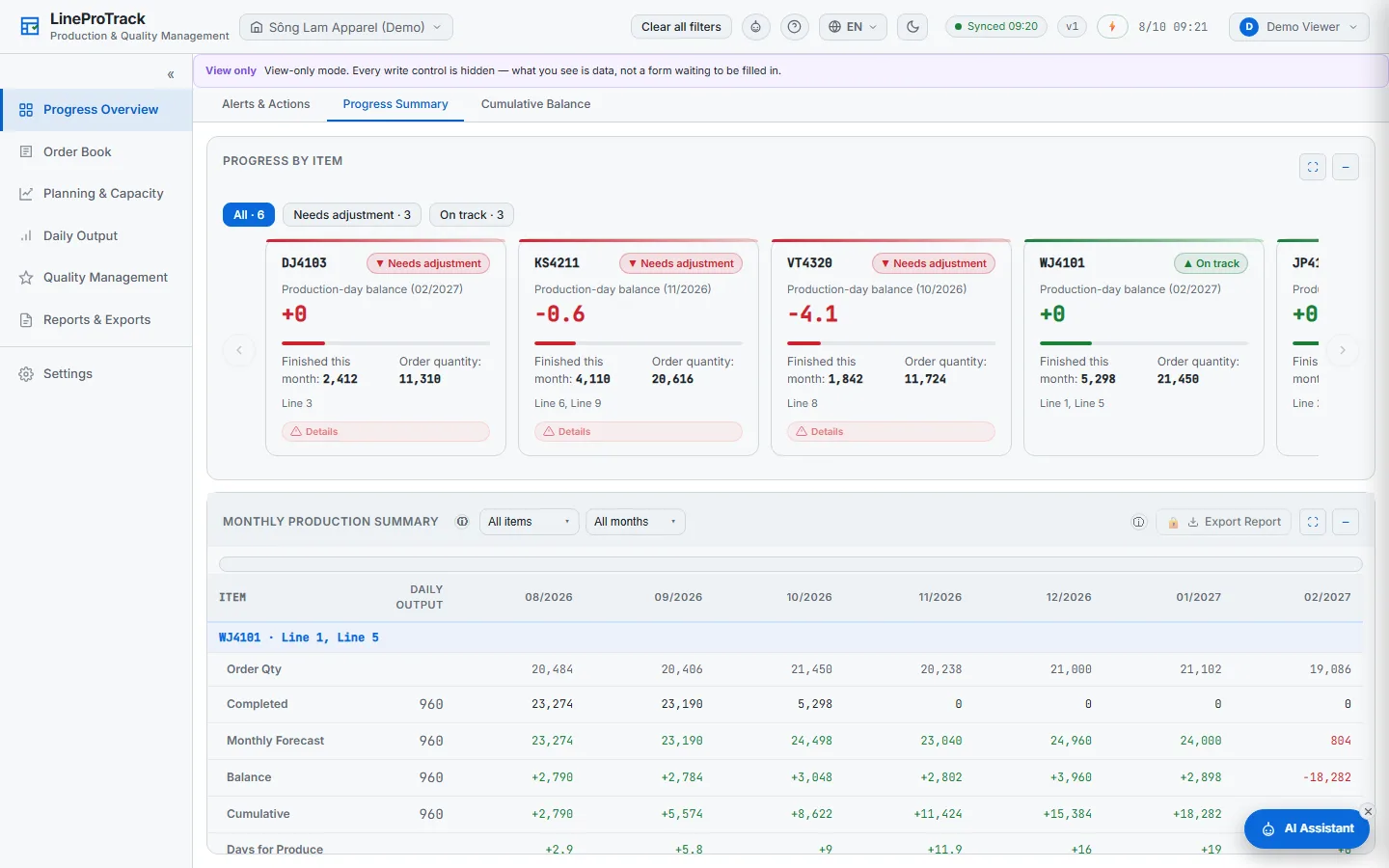
Sees the same live plan — and cannot change it.
No ERP replacement, no integration project. You start from the plan you already have.
Drop in your PO and plan Excel files. Columns are mapped once and remembered.
Line names, output per day, working calendar and holidays. This turns a static sheet into a forecast.
Add view-only accounts for management, merchandisers and QC — free, as many as you need.
Times are estimates for one plant. We help you with the first import in the onboarding session.
Keep your ERP for accounting and purchasing, and your Excel files for import. LineProTrack does the part in between: will each order make it, and what to do if not.
| LineProTrack | Excel | Large ERP | |
|---|---|---|---|
| Delay forecast for every order and line | Manual, per planner | Depends on modules | |
| Recovery suggestion: lines, overtime hours, decision deadline | Depends on modules | ||
| One live version for everyone | Files sent around | ||
| Start from your existing Excel files | Same day | Usually an implementation project | |
| Accounts for people who only watch | Free, unlimited | Usually a licence per user | |
| Vietnamese, English, Japanese and Chinese | Varies |
Every plan has every feature. View-only accounts are always free.
First {slots} factories: {pct}% off The discounted price is held for {months} months. Applied when we confirm your order.
One garment plant getting its schedule under control.
Large plants, or several plants under one organisation.
Everything above is in the application today. These are next — we will not give dates until they ship.
On servers in Singapore, encrypted with your organisation’s own key. Only the accounts your administrator creates can open it. We do not look at your production data unless you ask us to, for example for support.
Your administrator presses “Delete organisation data” in the app (with password and two-factor code), or emails us from the registered address. Everything is deleted within 24 hours and can be cancelled until then. Backups expire within 30 days.
The service stops, but your administrators can still subscribe, view and download the data for 7 days. After that the organisation and its data are deleted automatically. We email before the trial ends, when it ends, and the day before deletion.
In advance, by bank transfer or through an online payment link. The price shown is what you pay. If your accounting needs a VAT invoice (hóa đơn GTGT), contact us before you order.
No. It runs in a web browser on a computer or a phone. You bring your Excel files; there is nothing to install on your network.
Plus covers one plant with up to {plusLines} lines. Pro covers up to {proLines} lines per plant and several plants under one organisation. Larger set-ups: talk to us about Enterprise.
Only people who enter or change data. Everyone who only watches — management, merchandisers, QC, buyers — gets a free view-only account.
Yes. Start the 14-day trial and import one week of your real plan, or book a 20-minute intro and we will walk through it with you.
Start the trial and import one week of your real plan, or book a 20-minute intro and we will walk through it with you.
lineprotrack@gmail.com Zalo 0903 180 300 Ho Chi Minh City, Vietnam
Tell us where to send it. We set up a private instance for your company and email you the login details — usually within one business day.
A short online call: we show LineProTrack on sample data and answer your questions. Tell us when suits you; we reply within one business day by email, phone or Zalo.
We will email your login details within one business day. In the meantime, you can request a preview code — it arrives by email in minutes.
We will contact you within one business day to fix a time. In the meantime, you can request a preview code — it arrives by email in minutes.
We email you a private preview code: 72 hours with a company email, 24 hours with a free email (Gmail, Yahoo…), on up to 2 devices. When it arrives, click “Already have a preview code?” and enter it. Sample data, view only.
If the details are valid, the code arrives in a few minutes — check your spam folder too. Each email can request one code every 30 days. Genuine LineProTrack emails never contain links.